
How to Make Seamless Tiles for 2D Games
Make seamless floor and wall tiles: match opposite edges, test in a 3×3 grid, break repetition with variants and set up tilemaps in Unity and Godot.
· 7 min read
The short answer
A seamless tile is a square image whose left edge continues into its right edge and whose top edge continues into its bottom, so copies placed side by side show no visible line. To make one, keep the texture's detail evenly spread, use the offset (wrap-around) trick to move the seams into the middle where you can paint over them, and always test the tile in at least a 3×3 grid before using it in a level.
Pick a tile size and stick to it
Tile size defines your level grid. 16×16 and 32×32 are the standard sizes for pixel art; painted and high-resolution games often use 64, 128 or 256. Characters and props should share the tile's pixel density: if a tile is 32 pixels for one metre of ground, a human character is usually around 48 to 64 pixels tall.
Use the same size for every tile in a tileset and make the size a power of two or a clean multiple of your sprite size. It simplifies import settings, camera snapping and collision.
How to make a tile seamless by hand
This works in any image editor, from Aseprite to GIMP or Photoshop:
- 01Create the base texture at your exact tile size, keeping light, colour and detail density roughly even across the whole square.
- 02Offset the image by half its width and height with wrap-around (Photoshop: Filter → Other → Offset; GIMP: Layer → Transform → Offset, 'Wrap around'). The former edges now meet in a cross in the middle.
- 03Paint over the visible seam in the middle, blending the textures without touching the outer edges.
- 04Offset back by the same amount, or simply leave it — the tile now wraps on every side.
- 05Test by filling a 3×3 or larger grid with the tile and look for lines, hard colour steps and obvious repeating features.
Hiding repetition
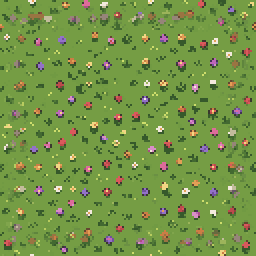
A tile can be technically seamless and still look like wallpaper. The eye picks up any distinctive feature — a single large stone, a dark crack, a flower — repeating at fixed intervals. Keep the base tile calm and spread detail evenly; save distinctive details for separate variant tiles or decoration sprites placed on top.
Make two to four variants of common floors (grass, dirt, stone) with the same base colours and edges but different small details, and scatter them randomly. Both Unity and Godot can randomise variants for you: Unity's Random Tile from the 2D Tilemap Extras package, and Godot's TileSet probability values when painting.
Floor tiles vs. wall tiles
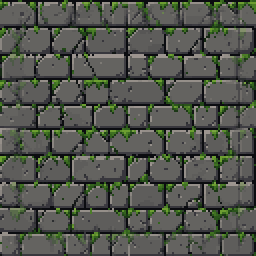
Top-down floors are the easiest case: one tile that repeats in both directions. Walls need more thought. In a side view or three-quarter top-down view, a wall usually has a top cap, a face and a base, and the face only has to repeat horizontally (and sometimes vertically for tall walls). Brick and stone patterns must line up their mortar across the edges, so start the pattern exactly at the tile boundary.
In SpriteLab, choose Environment → Floor Tiles or Wall Tiles to get a square tile that repeats without visible seams, in any of the art styles. Water and lava tiles can be animated into looping frames.
Transitions and autotiles: know the limit
A single seamless tile covers a whole area of one material. Where grass meets dirt, or a wall meets the floor, you need transition tiles: edges, outer corners and inner corners. A full set for automatic terrain painting is commonly 16 tiles (simple corners) or 47 tiles (the 'blob' set that covers every neighbour combination). Godot 4's Terrains and Unity's Rule Tiles use these sets to choose the right piece automatically.
SpriteLab does not generate autotile or 47-tile sets; it makes individual seamless floor and wall tiles. A practical approach is to generate the base materials, then draw the transition edges by hand from those tiles, or hide transitions with decoration sprites such as rocks, bushes and rubble.
Animated water and lava tiles
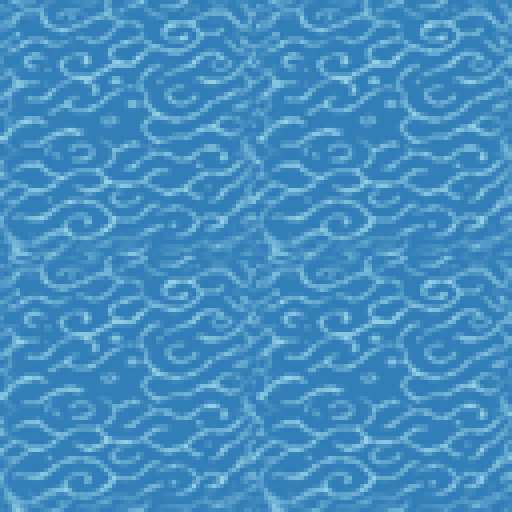
Animated tiles must loop in time and stay seamless in space on every frame. Keep the animation subtle: slow ripples and highlights read better than large waves when a whole lake is made of the same tile. Four to eight frames at a low frame rate is plenty.
In Godot 4, set up animation directly in the TileSet editor by adding animation columns and a frame duration to the tile. In Unity, use the Animated Tile from 2D Tilemap Extras and assign the frames and speed.
Frequently asked questions
How do I check whether a tile is seamless?
Fill at least a 3×3 grid with the tile at 100% zoom and look for straight lines, brightness changes at edges and repeating features. Many editors, including Aseprite, have a tiled preview mode.
What size should game tiles be?
16×16 or 32×32 for most pixel art games; 64×64 and above for painted or high-resolution art. Use one size for the whole tileset.
Can SpriteLab make a full autotile tileset?
No. SpriteLab makes individual seamless floor and wall tiles and animated water and lava tiles, not 16- or 47-tile autotile sets.
Why can I still see a grid pattern in my seamless tile?
The tile probably has a distinctive feature or uneven lighting that repeats. Flatten the lighting, spread detail evenly, and add variant tiles or decorations.