


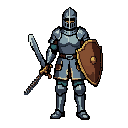
Pixel 16-bit
8 / 16-bitClassic retro sprites in the spirit of NES, Game Boy and SNES-era games, with a limited color palette.

Loading…
Describe a character, monster or item and get pixel art on a real grid with a limited palette, as a transparent PNG. Retro 8-bit and 16-bit looks, HD pixel art and isometric. No art skills needed.
From classic retro to modern HD pixel art. Sprites are snapped to a real pixel grid with a limited palette — no blurry fake pixels.
Classic retro sprites in the spirit of NES, Game Boy and SNES-era games, with a limited color palette.
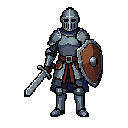
Higher-resolution 32-bit pixel art with more detail and shading — the modern indie look.
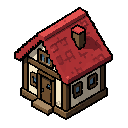
Isometric pixel art for strategy, tactics and city-builder games — the RTS classic.
Tap one to copy its prompt into the box above, then change it to fit your game.
SpriteLab draws pixel sprites on a 128×128 art-pixel canvas, with the subject about 110 art pixels tall, and delivers them scaled up by a whole number. That is finer than classic retro sizes, so here is what each size takes.
NES and Game Boy-sized characters, tiles and pickups. At this size every pixel is a design decision, so treat the generated sprite as reference: open it next to a 16×16 canvas in Aseprite and block the shapes and colours in by hand.
The common middle for indie games. Shrink the PNG back to its 128-pixel grid with nearest-neighbour, scale that down to 32×32, then redraw the outline and the small details (eyes, buckles, blade edges) that merge at that size.
Bosses, portraits and HD pixel-art games. Closest to SpriteLab's own density: use the sprite as it is, or halve it with nearest-neighbour and tidy the outline.
Every pixel sprite is reduced to at most 32 colours. Leave the palette on Auto to let the style decide, or steer the colours with one of 12 palettes:
Get your pixel art sprite in seconds — iterate on the prompt until it fits your game.
8-bit, 16-bit, 32-bit HD and isometric pixel art — plus 9 more non-pixel styles.
PNG format with transparent backgrounds. Drop it straight into Unity, Godot or GameMaker.
Sprites are stored at native resolution, so they scale up crisply with nearest-neighbour filtering.
Starter, Pro and Studio include commercial use in games on Steam, itch.io or mobile, with no attribution required. The Free plan is personal, non-commercial use.
Keep every sprite organized by project in your own library once you sign up.
Generate any type of pixel art asset you need — retro game sprites for platformers, RPGs, roguelikes and more.
Write a short prompt — “a goblin archer with a bow, side view”. Colors and materials help.
Choose 16-bit retro, 32-bit HD or isometric pixel art to match your game.
Get a transparent pixel art PNG, ready for your game engine.
The decisions that make pixel art look like pixel art once it is in an engine.
Pixel art only stays crisp if every source pixel becomes the same square block on screen. That needs two things: a real grid in the image, and whole-number scaling in the engine. Many AI images labelled 'pixel art' fail the first test — zoom in and the blocks are uneven and blurred, with hundreds of near-identical colours.
SpriteLab's Pixel 16-bit, Pixel HD and Isometric Pixel styles are snapped to one pixel grid with a limited palette after generation, and delivered pre-scaled by a whole number so they are easy to see. If your game uses smaller sprites, scale down by the block size with nearest-neighbour in a pixel editor, then index to your palette for an exact match.
The second test is up to your project settings: render at a low internal resolution and scale the whole screen, not individual sprites.
Sign up free for 10 credits. No card needed.
Yes. The Pixel 16-bit style makes classic retro sprites with a limited palette, and combined with the Game Boy green or Black & white palette it gives an 8-bit look. Pixel HD gives more detailed 32-bit-style pixel art, and Isometric Pixel covers strategy-style views. Hardware limits such as the NES's three colours per sprite aren't enforced; reduce the colours in a pixel editor if you need them.
They're drawn on a 128×128 art-pixel canvas, with the subject about 110 art pixels tall, and delivered scaled up by a whole number. For 64×64, halve them with nearest-neighbour; for 32×32 scale down and tidy the details; for 16×16, redraw using the sprite as reference.
Yes. Pick one of 12 palettes, such as Game Boy green, Pastel or Dark & muted, or leave it on Auto. Every pixel sprite ends up with at most 32 colours. For an exact fixed palette such as PICO-8, index the PNG to it in your pixel editor.
Commercial use is included on the Starter, Pro and Studio plans, with no attribution required, for assets generated while that plan is active. The Free plan, and tries made without an account, are for personal, non-commercial use only. Assets generated on the Free plan before 17 October 2026 keep the licence that applied when they were created. You may not sell generated assets on their own as stock packs or a sprite library. The full rules are in the terms.
Sprites export as PNG with a transparent background. Pixel art is kept at its native resolution so you can scale it up crisply in Unity, Godot, GameMaker or any engine.
ship it
Build your game faster with AI-generated pixel art — no artists needed.
No credit card required