
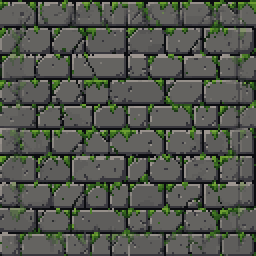
Seamless game tiles:
from a sentence
Floors, walls, water and lava as square tiles that repeat without visible seams — on a pixel grid for pixel-art games. Animate surfaces into looping frames.
Try
- repeats without seams
- pixel-art grid
- animated water & lava
- commercial licence on paid plans
Tiles that repeat cleanly
Each tile wraps on all four edges, so a grid of copies shows no seam lines.
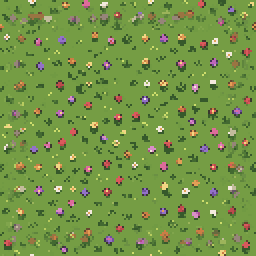
Grass with flowers
floor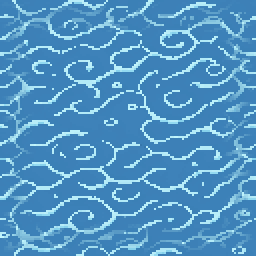
Shallow water
floor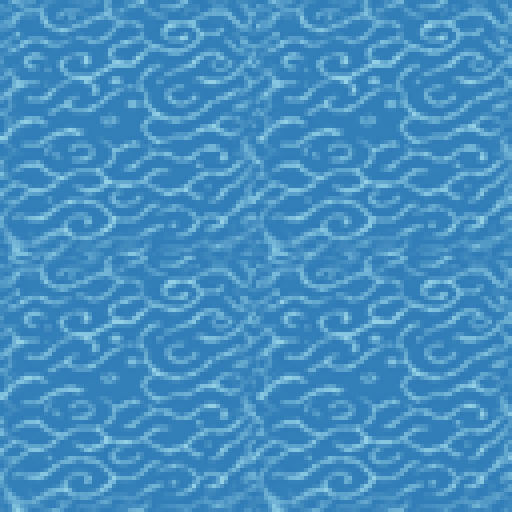
Animated water
animatedMade to tile, not to be framed
Fills the whole square
No background removal, no outline around the tile, no single object in the middle — the texture runs edge to edge.
Seam check
If the model's tile doesn't wrap, the edges are blended with an offset copy so left meets right and top meets bottom.
Same pixel grid as your sprites
Pixel-art tiles use the same pixel density as SpriteLab sprites, so characters and floors match on screen.
Animated surfaces
Water ripples, lava churns, grass sways — export a looping sprite sheet of full tiles.
Make a tile in three steps
- step 01
Choose Environment → Floor or Wall Tiles
In the generator, pick the tile type and a style such as Pixel HD or Hand Painted.
- step 02
Describe the surface
“Mossy dungeon stone bricks”, “sandy beach with shells”, “bubbling lava with dark crust”.
- step 03
Use or animate
Download the tile and set it as a repeating texture or tilemap tile — or animate it into a looping strip.
Tile ideas
Tap one to drop it into the generator above
Tile sizes and tilemap setup
How a single seamless tile becomes part of a level, and where SpriteLab stops.
- Tile size
- 16×16 or 32×32 for most pixel games; 64×64 and up for painted art.
- SpriteLab output
- 1024×1024 PNG; pixel-art tiles sit on a 128-pixel grid, so a nearest downscale gives 128×128.
- Godot 4
- Add the PNG as a TileSet atlas source; set the tile size to match the image after downscaling.
- Unity
- Pixels Per Unit = tile size, Point filter, then a Tile Palette on a Grid with cell size 1.
- Animated tiles
- Water and lava loop well at 4–8 frames, 6–10 fps.
- Not included
- Autotile sets (edges, corners, 47-tile blobs) — those you assemble or draw yourself.
A seamless tile repeats without visible lines because its left edge continues into its right edge and its top into its bottom. That makes it ideal for large areas of floor, wall, water or lava. What it does not give you is transitions — grass meeting a path, a cliff edge, a shoreline. Those need edge and corner tiles drawn to fit together, which SpriteLab does not generate.
Big repeating areas show repetition. Break it up by generating two or three variants of the same surface with the same prompt and style, and scatter decoration sprites (rocks, flowers, cracks) on a layer above. If you pack tiles into an atlas, add padding or extrude the edges by a pixel to avoid thin seams when the camera moves.
Common questions
Are the tiles really seamless?
Yes. Every tile is checked at its edges; if it doesn't wrap, the edges are blended with a half-offset copy so copies line up without a visible seam.
Can I make a full autotile tileset?
Not yet. SpriteLab makes single seamless tiles (floor, wall, water, lava…) and animated tiles. Autotile sets with corners and edges (e.g. 47-tile blobs) are not available.
What size are the tiles?
Tiles are delivered as 1024×1024 PNGs. Pixel-art tiles sit on a 128-pixel grid (8 screen pixels per art pixel), so a nearest-neighbour downscale to 128×128 gives you the native-resolution tile with no blur.
Can tiles be animated?
Yes. Open the tile in Animate and choose Flow or Shimmer to get a looping sprite sheet of full tiles.
ship it
Build your levels faster
Generate seamless floors and walls that match your sprites.
No credit card required