
Type a character.
Get a sprite sheet.
SpriteLab draws game sprites from a sentence, animates them, turns them to face 4 or 8 directions and packs them for Unity, Godot or GameMaker. Transparent PNG, whole pixels, yours to sell.
Sign up for 20 free credits. No card. Over 1,000 people have made an account so far.

Sprites people made here
Tap one to copy its prompt into the box above, then change it to fit your game.
Assets you can drop straight into your game
Not pretty pictures — cleaned-up, game-ready files. Everything below was made with SpriteLab.
Type a sentence.
Get a game-ready sprite.
Pick what you need — a hero, an enemy, a weapon, a potion — describe it, and get a clean sprite in seconds.
- Transparent background, no clean-up needed
- Pixel art snapped to a real pixel grid
- 12 styles, from 16-bit pixel art to hand-painted
prompt
a flaming sword with a glowing orange blade
 PNG · transparent

Animate anything —
not just people.

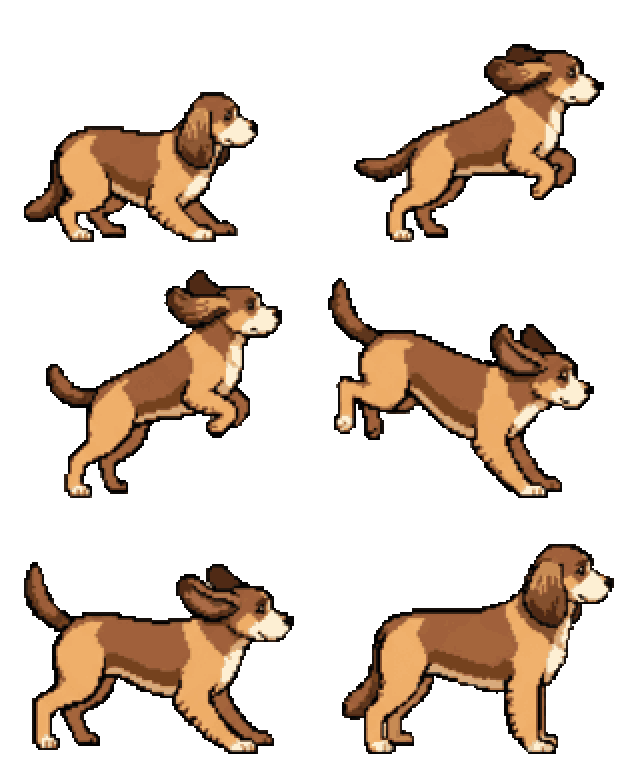
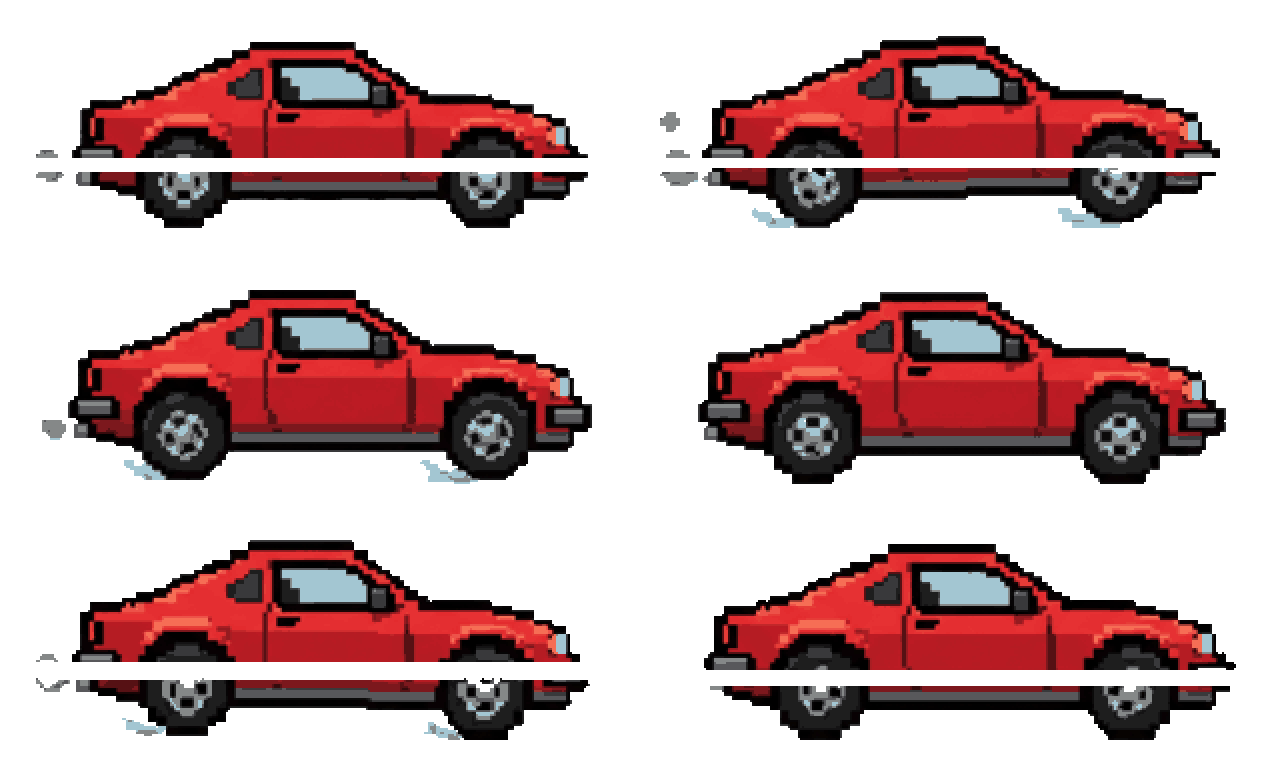
SpriteLab looks at your sprite before it animates it. Dragons breathe fire, dogs jump, cars drive, water flows.
- Motions suggested for each sprite, or describe your own
- 4, 6 or 9 frames — or smooth motion with in-betweens
- Sprite sheet PNG, single frames and a GIF

Every side of your
character, in one click.
Top-down or isometric game? Turn any character or creature into a 4- or 8-direction sheet — same size, same ground line, ready to slice.
- 4 directions (front, right, back, left) or all 8
- The same sprite from every angle — nothing redrawn off-model
- One view per frame, named S · E · N · W
Tiles that repeat
without seams.
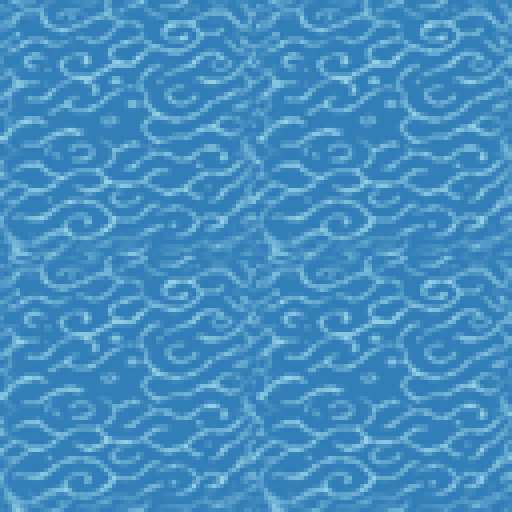
Floors, walls, grass and water that line up edge to edge — paint whole levels from one tile.
- Square, seamless tiles for top-down and side-view levels
- Water and lava animate into perfect loops
one tile, repeated 2 × 2 — no visible seams
Your game's assets,
sorted for you.
Make a project for your game. Keep the sprites you like — they file themselves into folders — and download the whole pack at once.
- Accept or decline every result
- Auto-sorted into characters, enemies, weapons, items…
- One ZIP for the whole project, free
Dungeon crawler
7 assets · 4 folders
- All7
- Characters2
- Enemies2
- Weapons2
- Items1


How SpriteLab works
What each part of the app does, what is worth trying, and what it costs in credits.
Create a sprite from one sentence
Describe what you need — SpriteLab draws it, removes the background and snaps pixel art to a clean grid.
- 1
Pick an asset type
Characters, creatures, weapons, items, tiles, icons… The type tells the AI how to frame and size the sprite.
- 2
Describe it
What it is, colours and materials — e.g. “iron sword with a red gem in the hilt”. Any language works.
- 3
Choose a style
12 styles. Pixel 16-bit is the favourite; Hand Painted, Anime, Chibi and Isometric are a click away.
- 4
Standard or HD
Standard costs 1 credit and takes ~10 s. HD costs 3 credits for finer detail.
worth trying
- Stuck for ideas? Hit “Surprise me”.
- Press “Match style” on a sprite you like — every next sprite comes out in the same style and pixel size.
- Hover any sprite in Explore and press Try to reuse its prompt.
- Characters and creatures can be drawn from the side, front or top-down.
- Every result is saved to Assets as a transparent PNG.
Follow along on TikTok
We post new sprites, animations and game-dev tricks on TikTok. Made something cool? Tag it with #madewithspritelab — we feature our favourites.
Simple pricing, paid in credits
Every generation has a fixed credit price, shown before you click. Start free — subscribe or buy a pack when you need more. Cancel anytime.
Free
Try it free
- 20 credits to start
- Earn extra credits with quests
- All 12 art styles, Standard & HD
- Transparent PNG on every sprite
- Animations, 4 & 8 directions, AI editing
- Projects + pack export (.zip)
- Personal, non-commercial use
Starter
Perfect for indie devs
- 250 credits / month
- Everything in Free
- Commercial licence
Pro
For serious creators
- 500 credits / month
- Everything in Starter
- AI upscale 2× / 4×
- Variations
- Commercial licence
Studio
For teams & studios
- 1,200 credits / month
- Everything in Pro
- Most credits per month
- Commercial licence
Compare the cost
£40–160
per asset from a freelancer
2–8 hours
if you create it yourself
£0.020
per credit with SpriteLab Starter
Have questions? Check our FAQ or contact us.
Questions people ask before signing up
Can I get my character from 4 or 8 directions?
Yes. In Animate, pick "4 directions" or "8 directions" for any character or creature and SpriteLab draws the same sprite from the front, sides and back (every 45° for 8) — same size, same ground line, one view per frame. It's made for top-down and isometric games.
Do I need a powerful computer or to install anything?
No. SpriteLab runs in the browser on Windows, Mac, Linux and phones — the AI runs on our servers, so any device works.
What is SpriteLab?
SpriteLab is an AI game asset generator for indie game developers. You describe an asset in a sentence and get a game-ready 2D sprite — a transparent PNG, with pixel art snapped to a real pixel grid — that you can animate into a sprite sheet and drop into Unity, Godot or GameMaker.
Is SpriteLab related to Code.org's Sprite Lab?
No. Sprite Lab on Code.org is a free coding course for students. SpriteLab (sprite-lab.com) is a separate, independent tool that uses AI to make sprites, animations and sprite sheets for people building their own games. The two aren't connected, and a Code.org account doesn't work here.
How is it different from a general AI image generator?
Every result is post-processed for games: the background is removed to transparency, pixel art is snapped to one pixel grid and a limited palette, outlines are kept consistent, and sprites can be animated into frame-aligned sprite sheets and organised into project packs. You get assets, not illustrations.
Can I use the assets in a commercial game?
Commercial use is included on the Starter, Pro and Studio plans, with no attribution required, for assets generated while that plan is active. The Free plan, and tries made without an account, are for personal, non-commercial use only. Assets generated on the Free plan before 17 October 2026 keep the licence that applied when they were created. You may not sell generated assets on their own as stock packs or a sprite library. The full rules are in the terms.
Can SpriteLab animate sprites?
Yes. Pick a sprite and choose idle, walk, run, attack, jump, cast, hurt, flying, a turnaround or describe your own motion. SpriteLab suggests motions that suit the specific sprite and returns a horizontal sprite sheet PNG, the individual frames and a GIF — 4, 6 or 9 key poses, or up to 18 frames with smooth in-betweens.
Does it work with Unity and Godot?
Yes. Sprites are standard transparent PNGs and sprite sheets are horizontal strips of equal-size frames. In Unity, set the texture to Sprite (2D), Multiple, and slice it by cell size in the Sprite Editor. In Godot 4, use the PNG in a Sprite2D or add the sheet to an AnimatedSprite2D's SpriteFrames with 'Add frames from sprite sheet'.
What art styles are available?
Twelve: Pixel 16-bit, Pixel HD, Isometric Pixel, Isometric, Isometric Cartoon, Hand Painted, Anime, Chibi, Dark Fantasy, Cartoon, Vector and Realistic.
Can I make tiles for my levels?
Yes. Choose Environment → Floor Tiles or Wall Tiles to get a square tile that repeats without visible seams, and animate water or lava tiles into looping frames.
How do projects work?
Create a project for your game, generate into it, and accept or decline each result. Accepted sprites are filed into folders by type automatically (characters, enemies, weapons, items…), and you can download the whole project as a ZIP pack.
How much does it cost?
Sign up and you get 20 free credits, no credit card needed. A Standard sprite costs 1 credit and HD costs 3. A rigged idle loop costs 3 credits. AI animations cost 4 key poses 7, 6 key poses 11, 9 key poses 12 credits, and smooth mode (on by default) brings those to 12, 18, 19. Direction sheets cost 4 directions 6, 8 directions 10, 4-direction walk 12 credits. Monthly plans start at £5 for 250 credits, and one-off credit packs never expire.
I got an email about 15 bonus credits. Is that different?
That email was the welcome-back offer for accounts created before 7 October 2026. Those accounts now get 20 credits the first time they open the app before 31 December 2026. If you already received 15, the next visit adds 5, so the welcome-back total is 20. New accounts get 20 free credits on signup.
Can I earn more free credits?
You can earn more free credits by completing onboarding and weekly quests in the app.
Do credits expire?
Free credits and credit packs never expire. Subscription credits refresh every month.
How long does a generation take?
A sprite usually takes 10–20 seconds. Animations take about 25–90 seconds depending on the number of frames and smooth mode.
Does SpriteLab have an API or 3D models?
Not at the moment. SpriteLab is a web app focused on 2D game assets; there is no public API, MCP server or 3D model generation.
Make the first sprite for your game now.
Sign up and get 20 free credits. No card needed.